
Features
Everything Kerwise can do
Files, tags and notes, the File Explorer menu, a private vault and file transfers — in one app for Windows 11. Here is each feature, with screenshots and short videos.
File & Folder Manager Right inside File Explorer Vault and File Keeper File Transfer Manager Your language, your way
Pro & Lifetime · compression is in Free
File & Folder Manager
A two-pane file browser with tags, colors and notes, built-in compression and a duplicate finder that compares real content.
A file browser built for two folders
- Split view with two panes; drag and drop between them and with File Explorer.
- Cut, copy, paste, rename (F2), name-conflict handling, delete to the Recycle Bin, hidden files.
- Thumbnails like File Explorer, and search by name in a folder and all its subfolders (Ctrl+F).
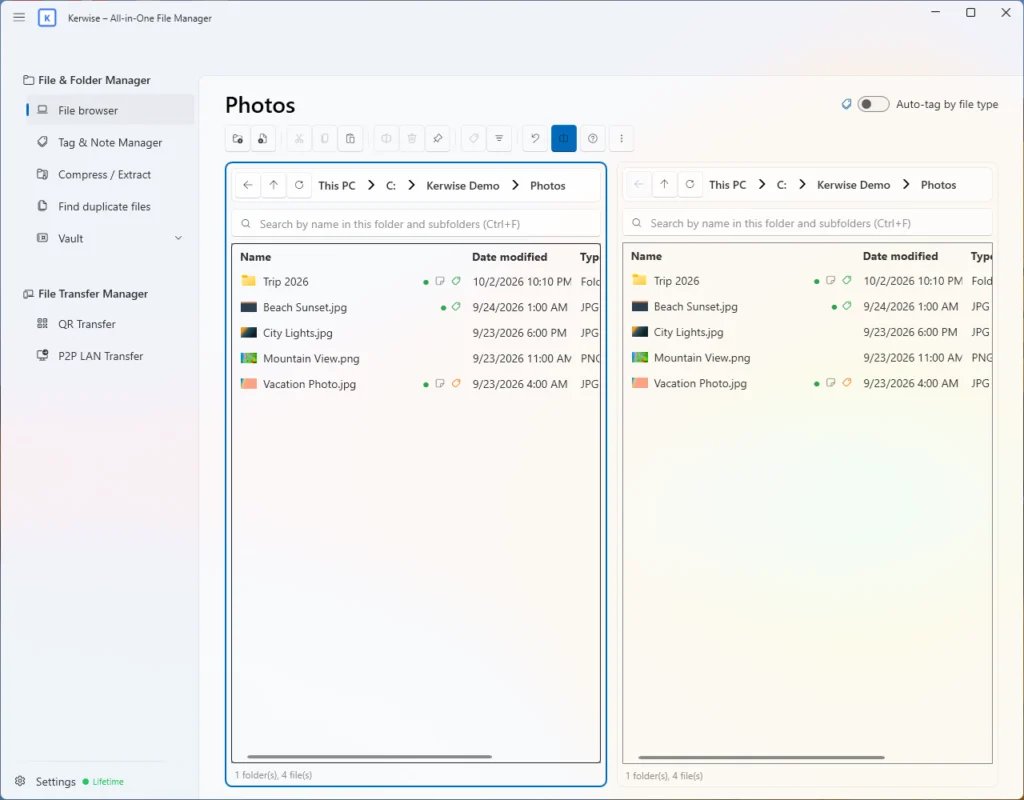
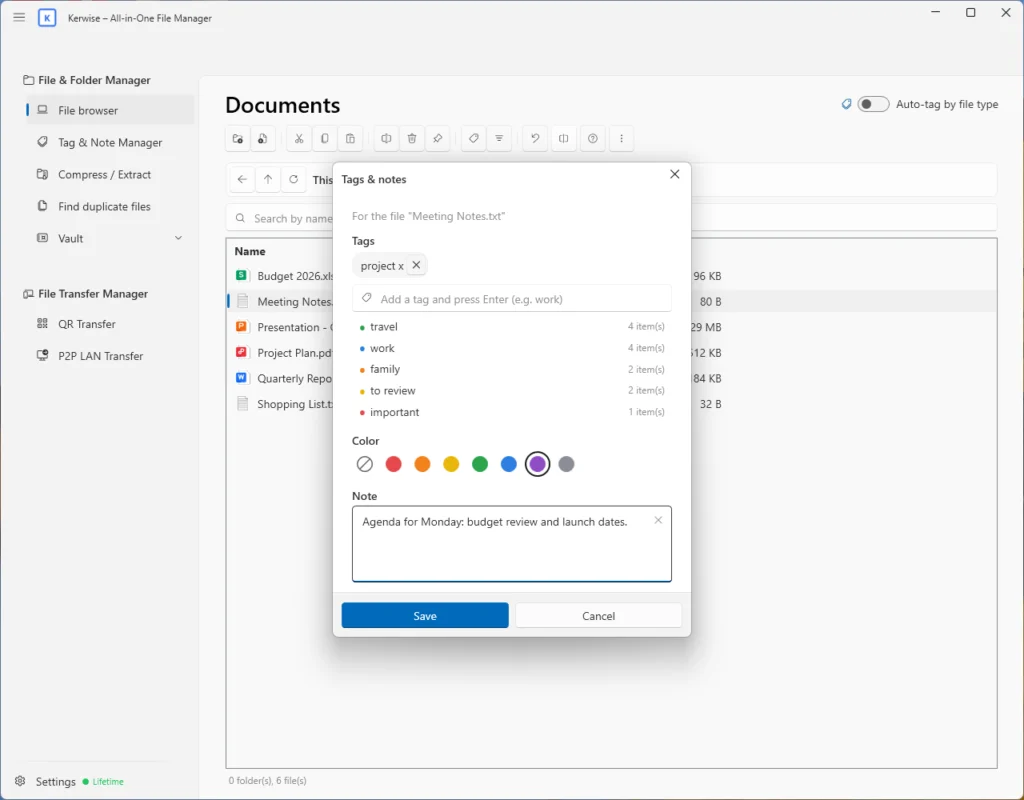
Tags, colors and notes
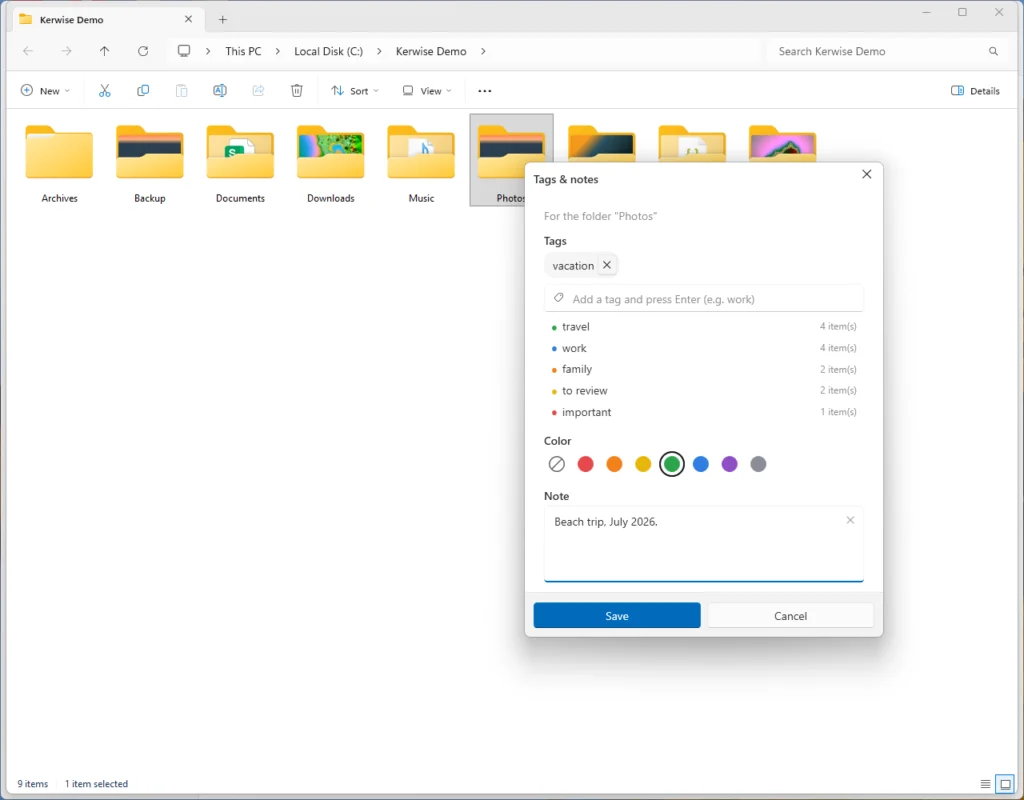
- Tag files and folders, pick one of 7 colors and add a note (Ctrl+T) — one at a time or in bulk. Tags are kept by Kerwise and never change your files.
- Rest the mouse on a file in the Kerwise file browser to read its note.
- The Tag & Note Manager finds files by name, tag or note text and opens them straight in the file browser.
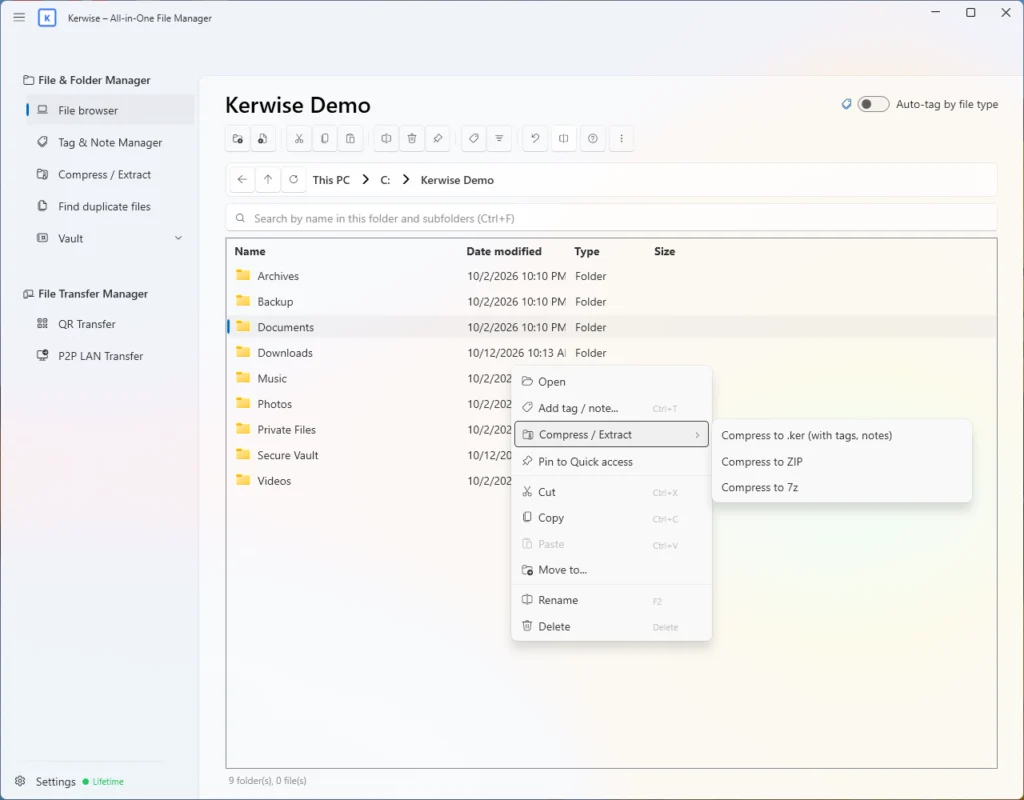
Compress and extract — with the .ker format
- Create ZIP (optional AES-256 password), 7z and .ker archives.
- .ker is a standard ZIP that also carries your tags and notes: open it with Kerwise on another PC to preview it, extract by tag and get the tags and notes back. 7-Zip and WinRAR still open it as a normal ZIP.
- Extract ZIP, KER, RAR, 7z, TAR, GZ, BZ2 and XZ — always into a new folder, never over existing files.
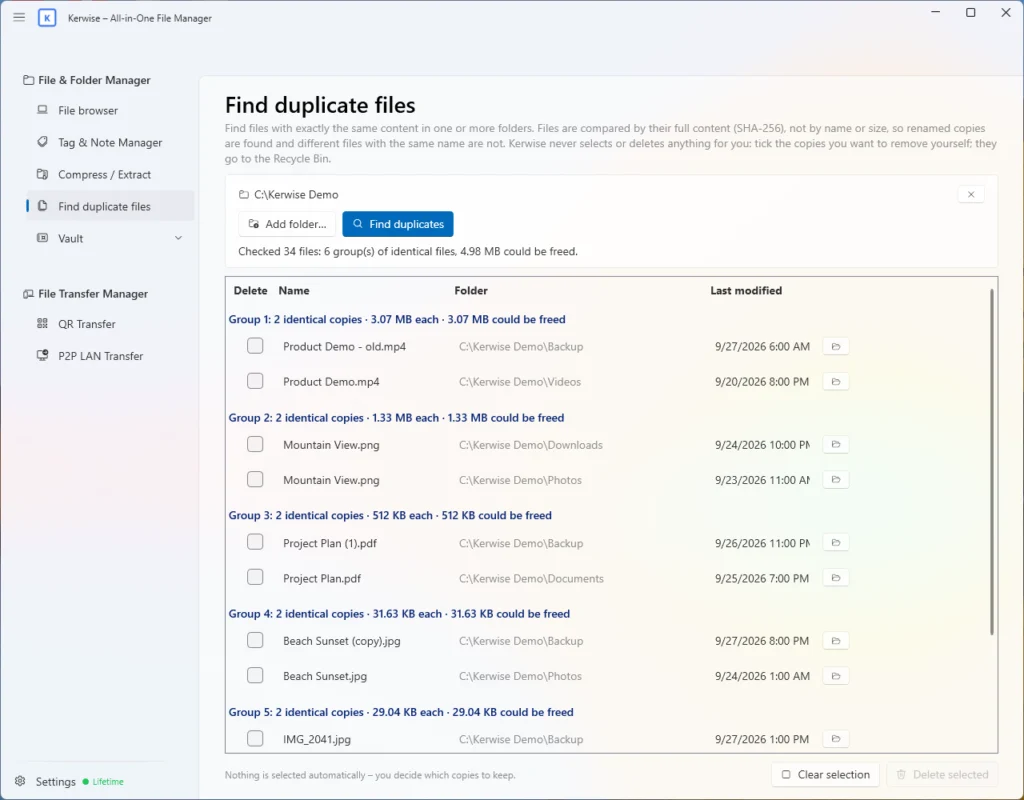
Find duplicate files
- The duplicate finder compares the full content of every file with SHA-256, so renamed copies are found and different files with the same name are not.
- Kerwise never picks or deletes anything for you: you tick the copies to remove, and they go to the Recycle Bin.
Watch it in action
Windows 11 integration
Right inside File Explorer
Tag, compress and extract from the Windows 11 right-click menu — without opening the app.
A Kerwise menu in File Explorer
- A "Kerwise" item in the new Windows 11 right-click menu — no need for "Show more options": add a tag and a note, compress to .ker, ZIP or 7z, or extract an archive right where it is.
- Each action runs in a small window with a progress bar; the main Kerwise window does not even open.
- Double-click .ker files to open them in Kerwise.
- Comes with Kerwise from the Microsoft Store and goes away when you uninstall it.
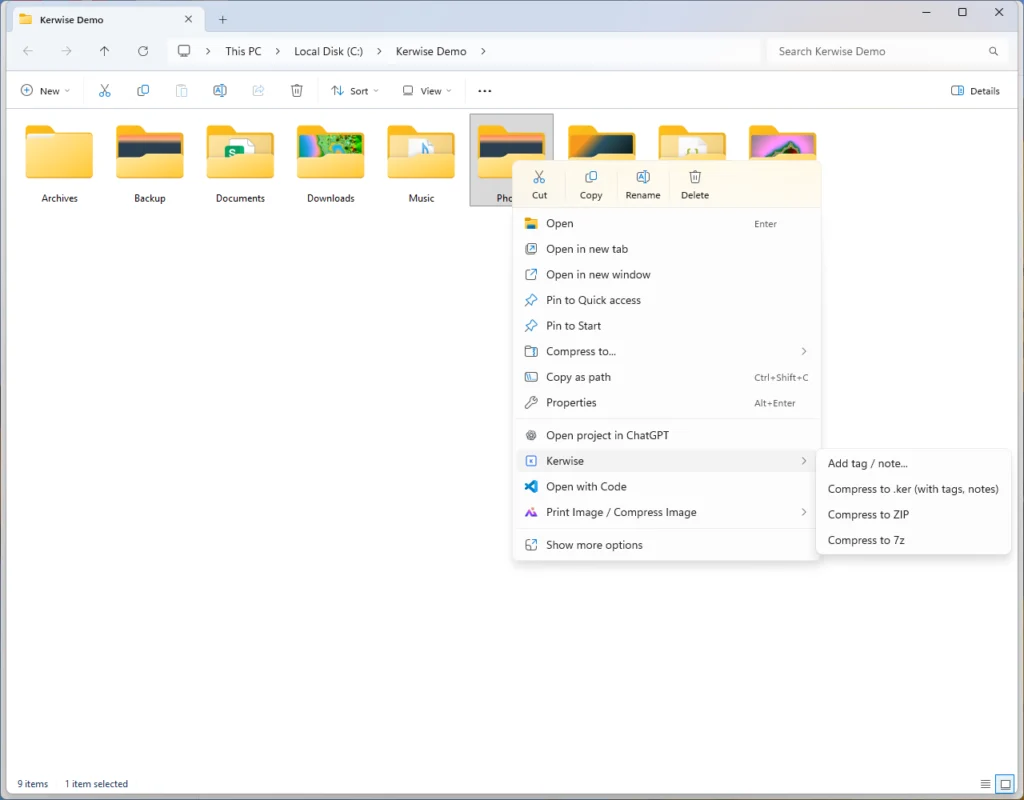
Tags and notes without opening the app
- Choose "Add tag / note…" and the same tag and note dialog as in the app opens over File Explorer.
- Pick a tag, a color and write a note — they show up in Kerwise right away.
Watch it in action
Pro & Lifetime
Vault and File Keeper
A private, encrypted space for the files nobody else should see.
Strong encryption, no stored password
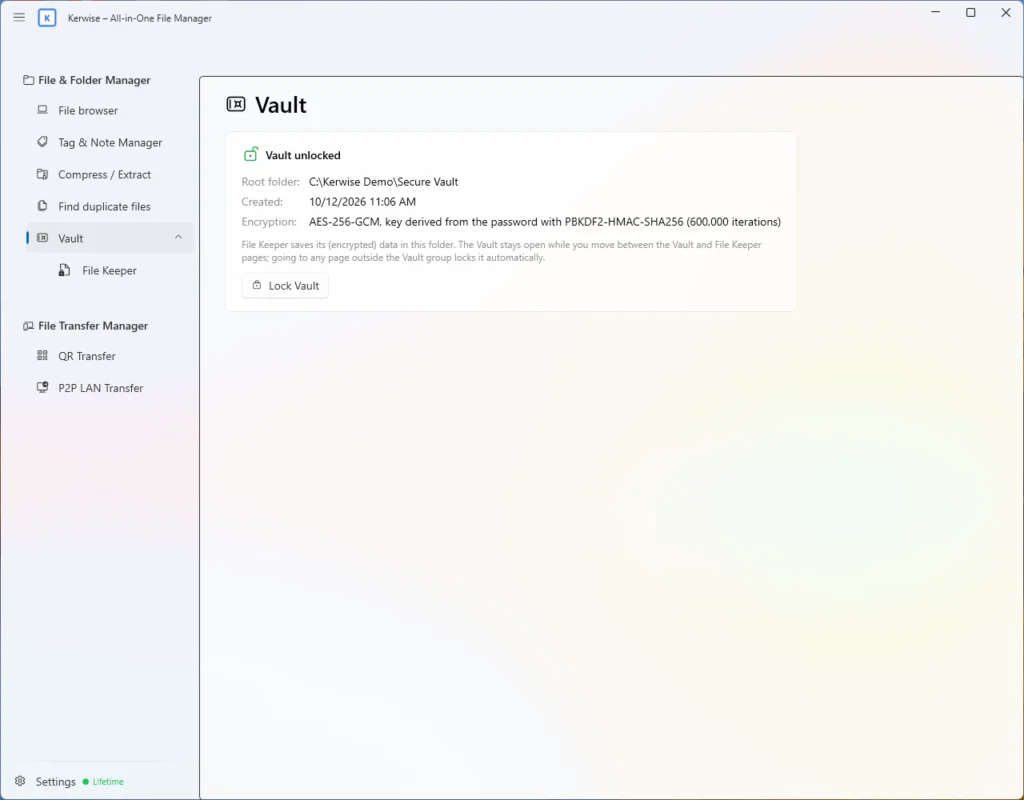
- Files are encrypted with AES-256-GCM, using a key derived from your password with PBKDF2-HMAC-SHA256 (600,000 rounds). Your password is never stored anywhere.
- Passwords need at least 8 characters. After 3 wrong attempts the Vault locks for a while, up to 30 minutes.
- It locks itself when you leave the Vault page, hide the app or quit.
- Important: if you forget the password, the data cannot be recovered — Kerwise asks you to confirm you understand this.
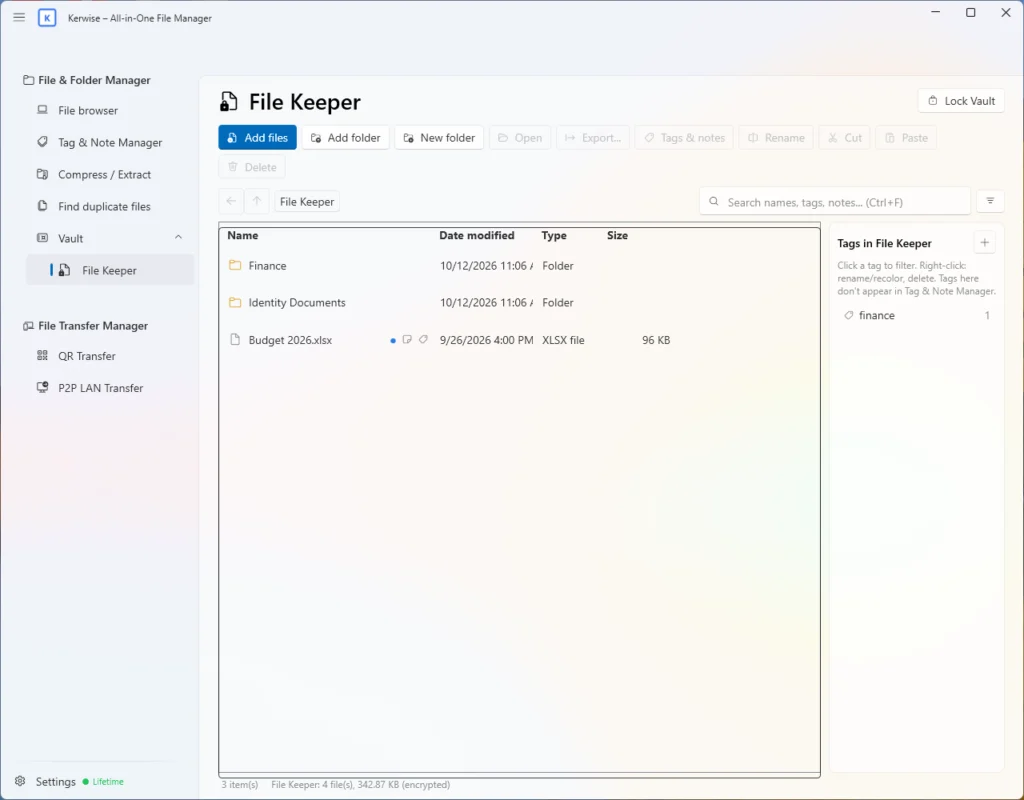
File Keeper
- Encrypt files and folders into the Vault, with their own tags and notes.
- Open and edit a file through a temporary decrypted copy; your changes are saved back automatically.
- Export files to a normal folder whenever you need them.
Watch it in action
Pro & Lifetime
File Transfer Manager
Move files between your phone and PCs on your own network — no cloud, no account.
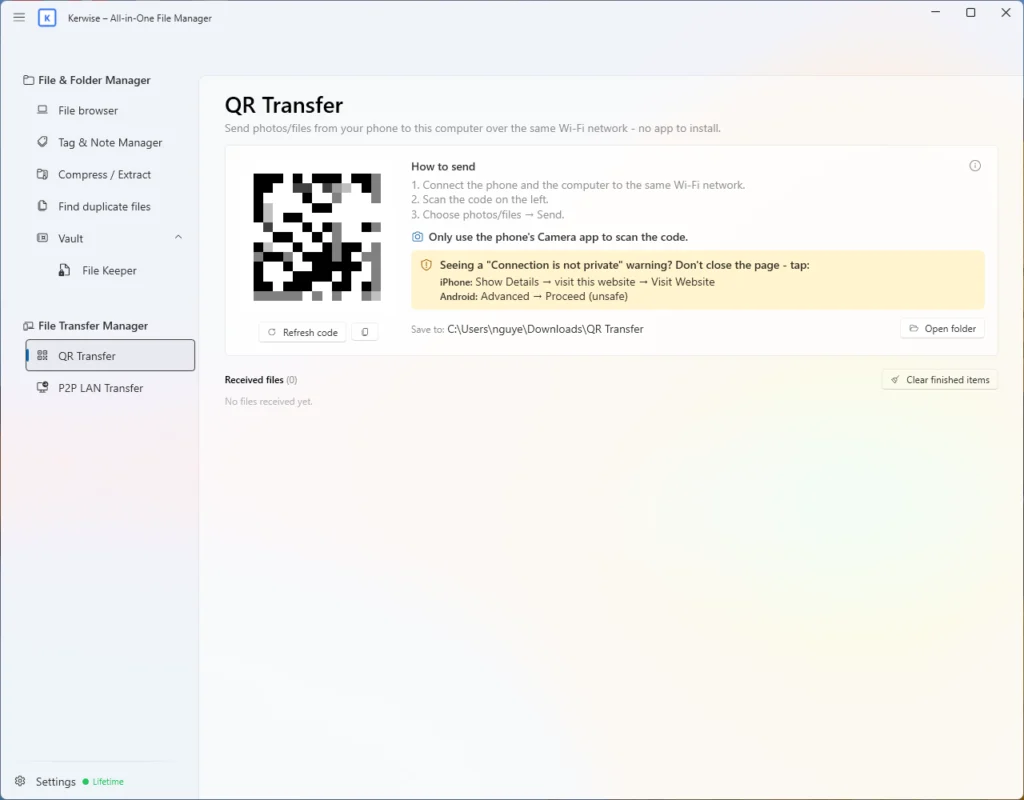
QR Transfer: phone to PC
- Send photos and files from a phone on the same Wi-Fi by scanning a QR code — no app needed on the phone.
- The connection uses HTTPS and a link with a secret code. The first time, the phone warns about a "not private" connection because the certificate is self-made; Kerwise shows how to continue.
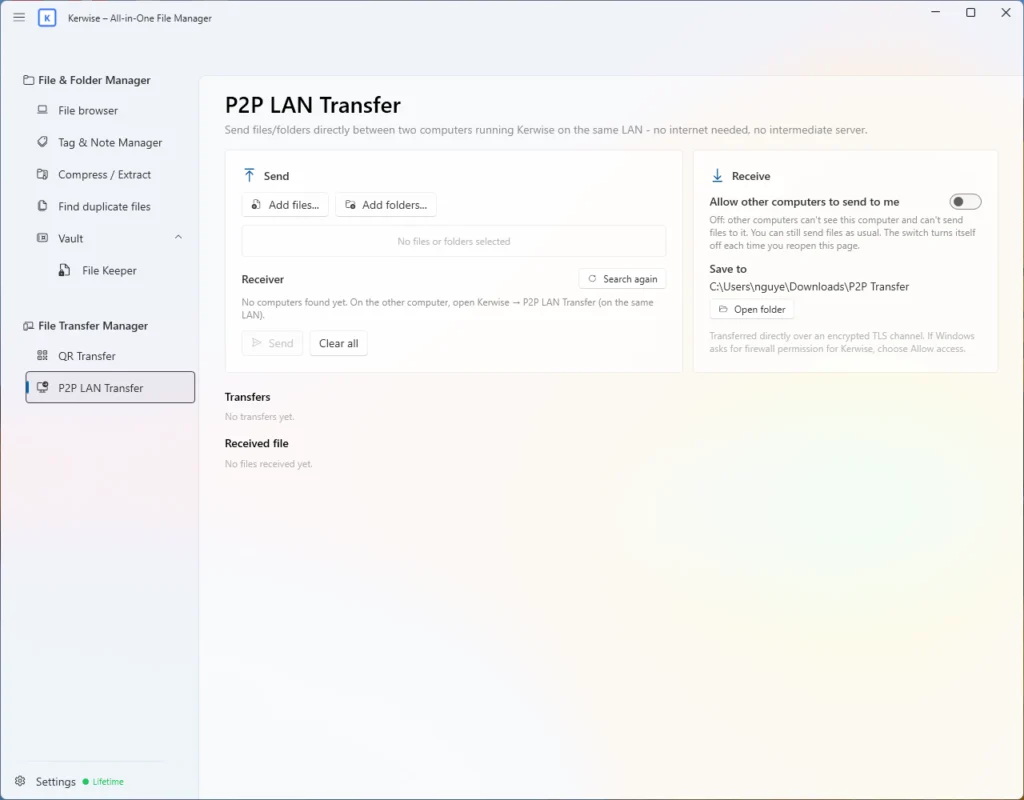
P2P LAN Transfer: PC to PC
- Send files between two PCs on the same network that both run Kerwise — nothing goes through the internet or a server.
- Encrypted with TLS; the receiver must accept; every file is checked with SHA-256.
- Up to 10,000 files per transfer.
Watch it in action
Made for Windows
Your language, your way
Kerwise speaks your language and stays out of the way.
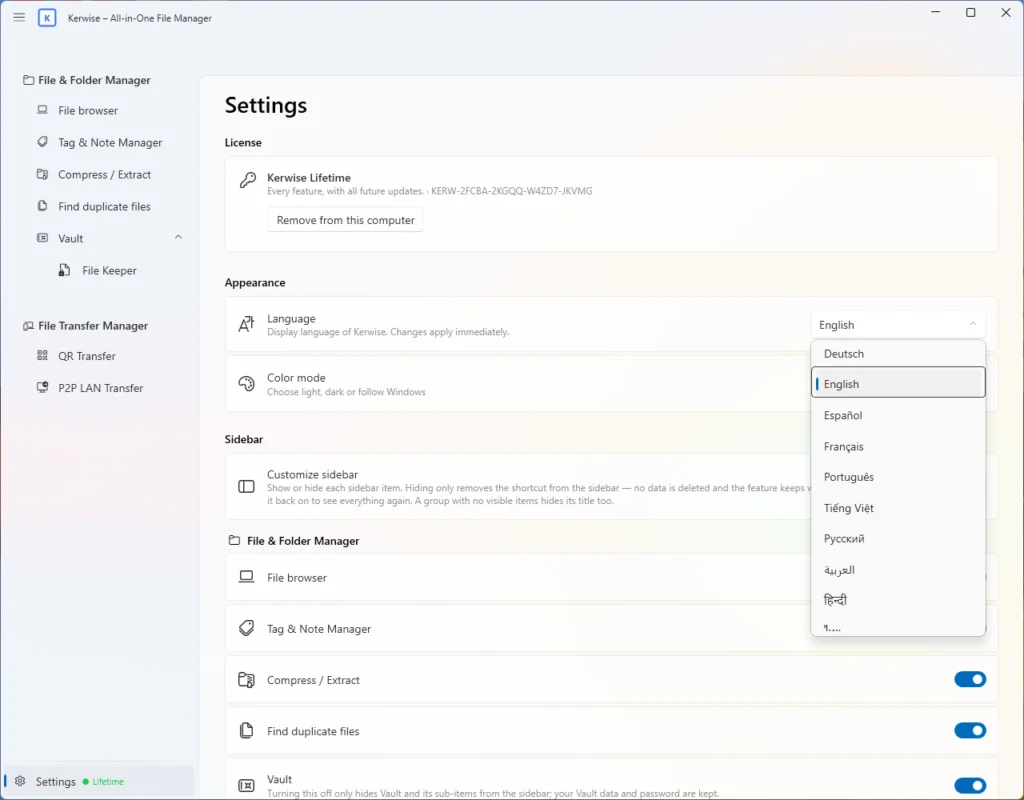
Languages and settings
- 14 interface languages, including right-to-left Arabic — switch instantly, no restart.
- Light, dark or Windows theme, and a sidebar you can customize: hide what you do not use.
- Can start with Windows in the tray: Kerwise asks on first launch, and you can change it in Settings. Closing the window only hides it to the tray, so Kerwise keeps running.
Watch it in action
Good to know
- Kerwise is for Windows. It is developed and tested on Windows 11; Windows 10 has not been tested yet, and there is no macOS version.
- RAR archives can be extracted but not created, and 7z archives cannot have a password.
- QR Transfer and P2P LAN Transfer work on your local network only, over an encrypted connection — no cloud and no account.
Take control of your files today
Kerwise brings your files, tags and notes, a private vault and file transfers together — on Windows 11.