
If your Windows 11 PC has one tool for archives, another for finding duplicate files and a third for moving files between devices, you know how cluttered that gets. Kerwise – All-in-One File Manager puts these jobs in one window. It is a desktop app for Windows, built and tested on Windows 11, and it is not released yet.
Finding duplicate files on Windows 11 without the risk
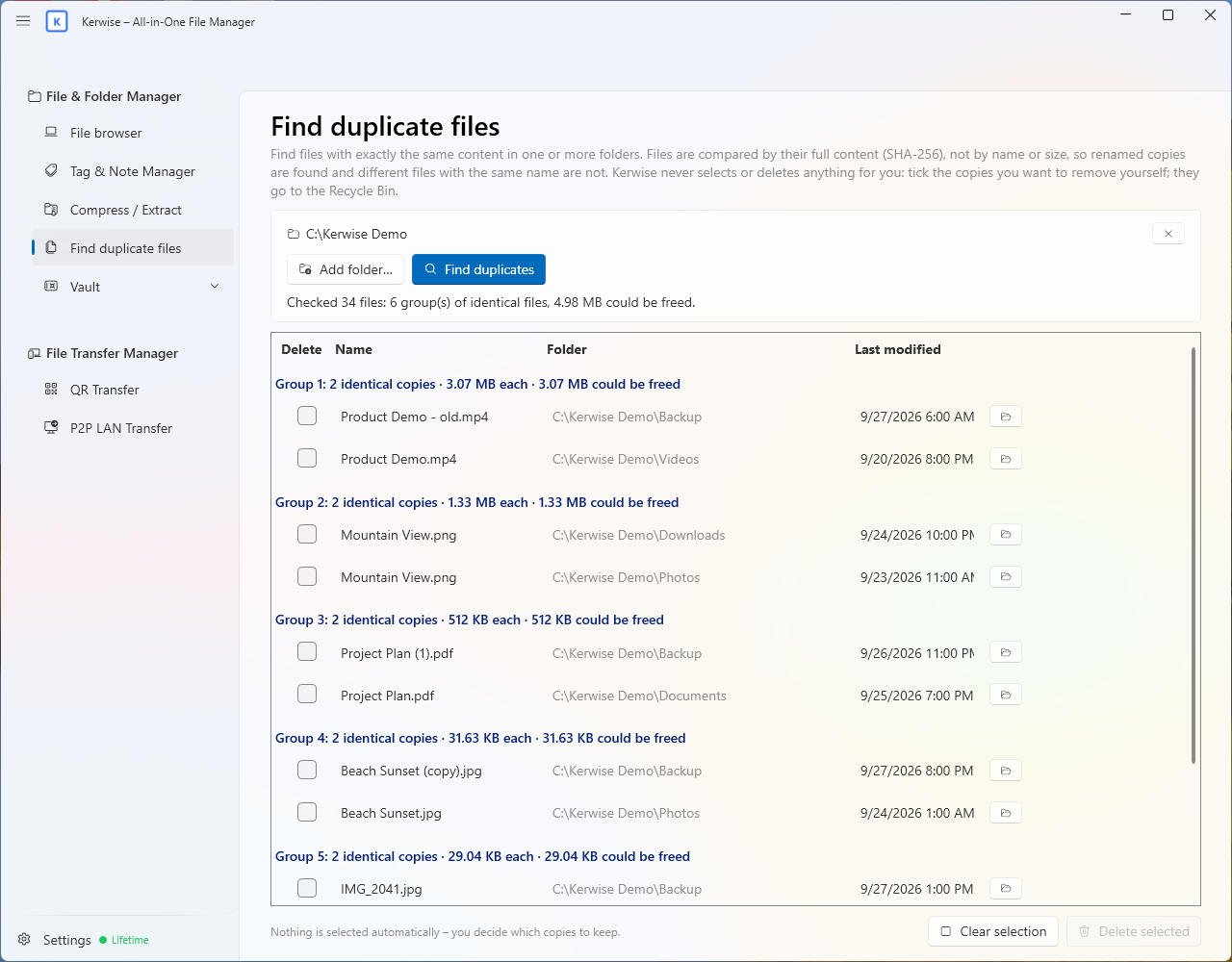
Most of us have the same photo saved three times under different names. Kerwise compares the full content of each file with SHA-256, so it still finds copies that were renamed. It never selects or deletes anything for you: you pick the copies to remove, and they go to the Recycle Bin, so you can still change your mind.
What else is inside
File & Folder Manager
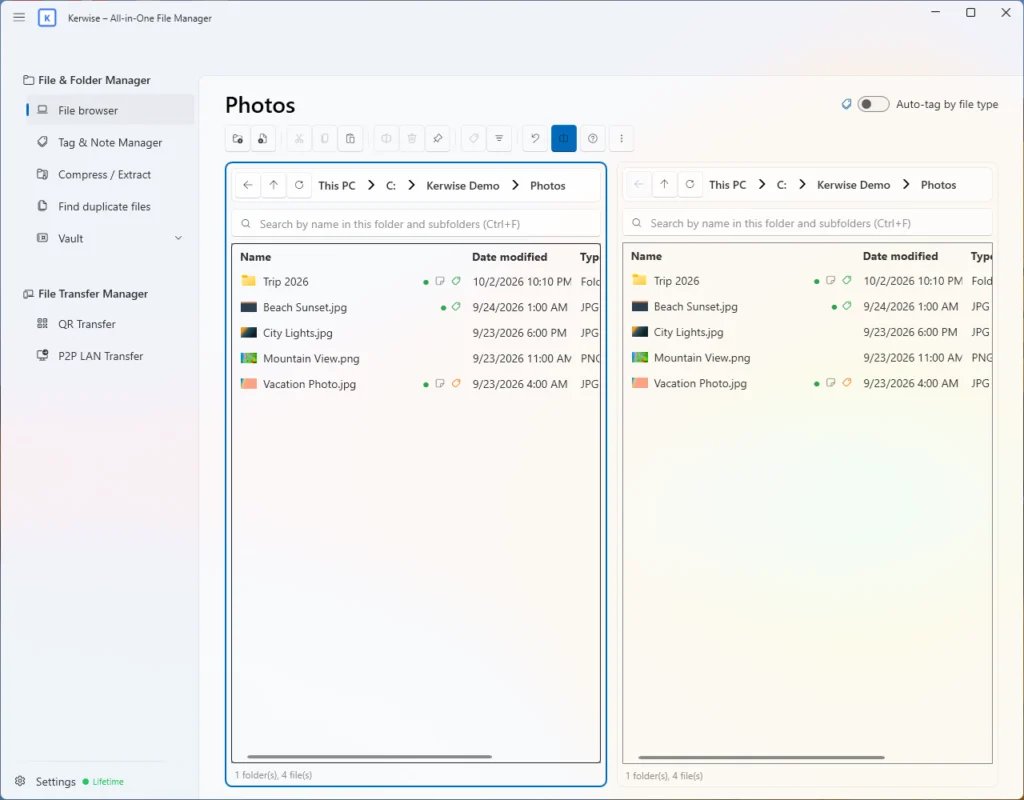
A two-pane file browser with drag and drop, search through subfolders (Ctrl+F), and colored tags and notes (Ctrl+T). Tags are stored in the app, so your files are never changed.
Archives
Create ZIP files (with an AES-256 password if you like), 7z files and .ker files, which keep your tags and notes. Extract ZIP, KER, RAR, 7z, TAR, GZ, BZ2 and XZ, always into a new folder, so nothing is overwritten.
Vault and File Keeper
A password-protected space for private files, encrypted with AES-256-GCM. The password is not stored anywhere, so forgetting it means losing the data. The Vault locks itself when you leave it or hide the app.
File Transfer Manager
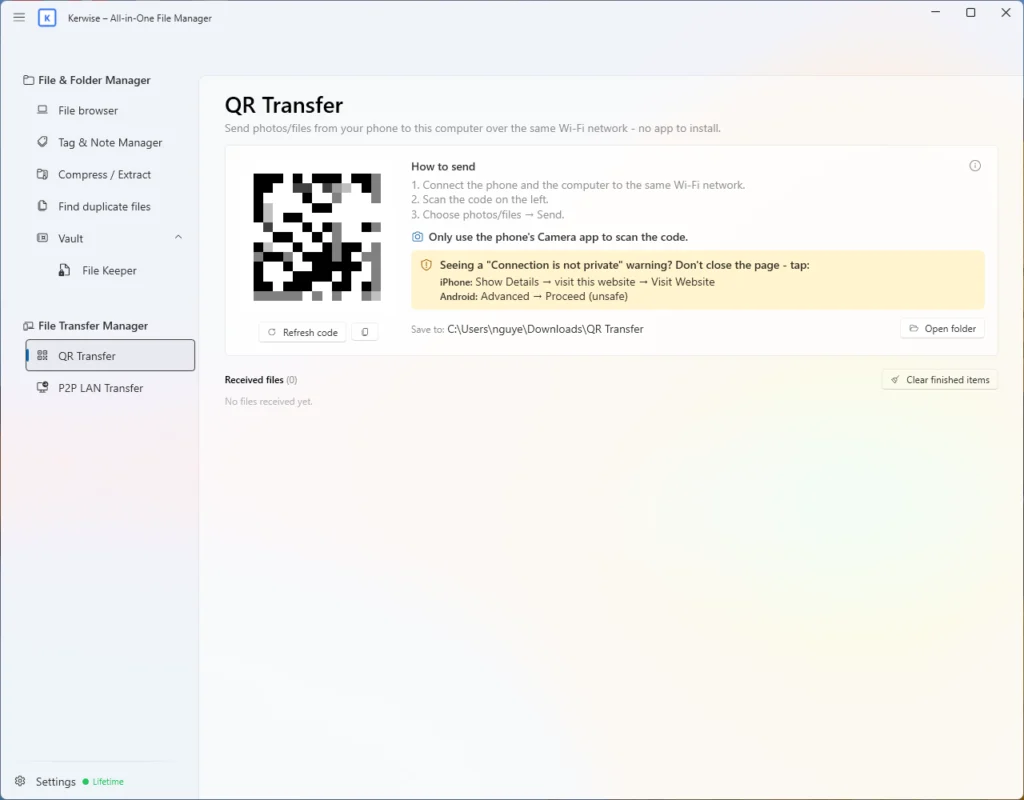
QR Transfer sends photos and files from your phone over the same Wi-Fi, with no phone app needed. P2P LAN Transfer moves files between two PCs running Kerwise, encrypted with TLS and with no server in the middle.
Right in the Windows 11 right-click menu
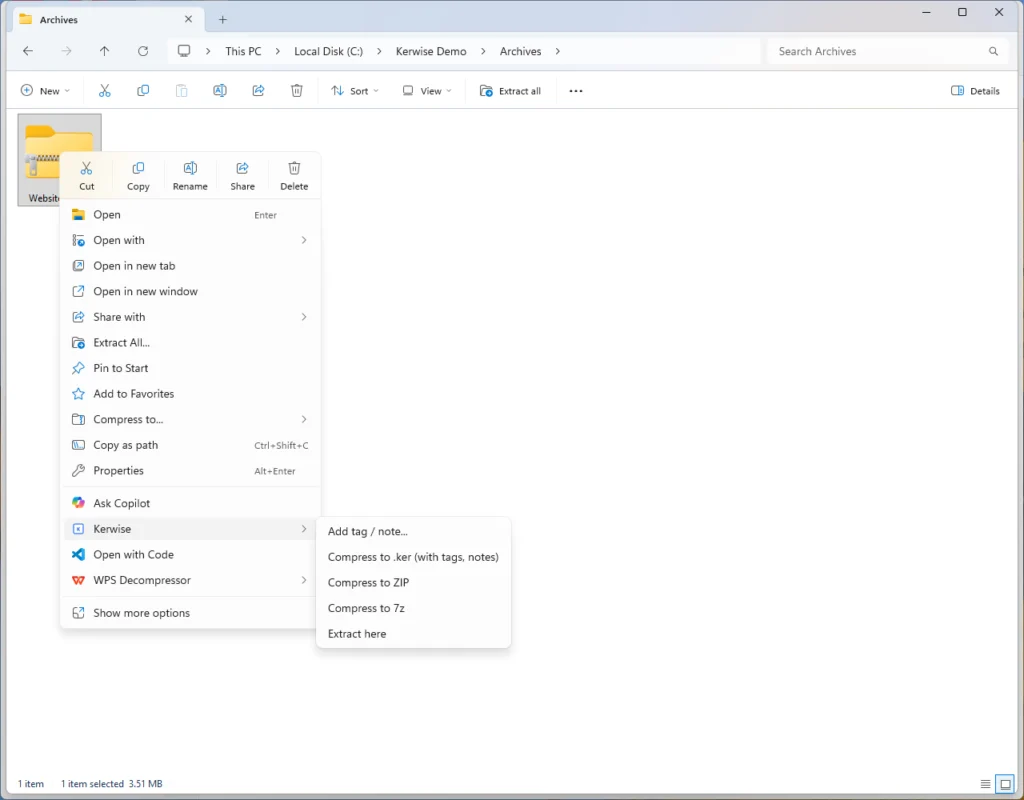
Kerwise adds its own menu to the new Windows 11 right-click menu, so you do not need “Show more options”. Tag a file, add a note, compress to .ker, ZIP or 7z, or extract an archive right there; each action runs in a small window with a progress bar. Double-click a .ker file to open it in Kerwise. The menu comes with Kerwise from the Microsoft Store and goes away when you uninstall it.
A few honest limits
- Windows only. Windows 10 has not been tested, and there is no macOS version.
- RAR archives can be extracted but not created, and 7z archives cannot have a password.
Pricing
The Free plan includes compressing and extracting archives. Pro ($12 per year, about $1 a month) and Lifetime ($99, paid once) unlock everything else — the file browser with tags and notes, the duplicate finder, Vault and File Keeper, and file transfers. Every feature is free for 30 days from the first launch, with no card or account needed. See the Pricing page for details.
The interface is available in 14 languages, with light and dark mode.